Blog
SlideShare and Speaker Deck: Turn Your Best Content Into DA 95 Backlinks
August 13, 2026 · 7 min read
SlideShare has a Domain Authority of 95. Speaker Deck has a DA of 80+. Both platforms are free to use, indexed by Google, and almost completely ignored by small business marketers in 2026.
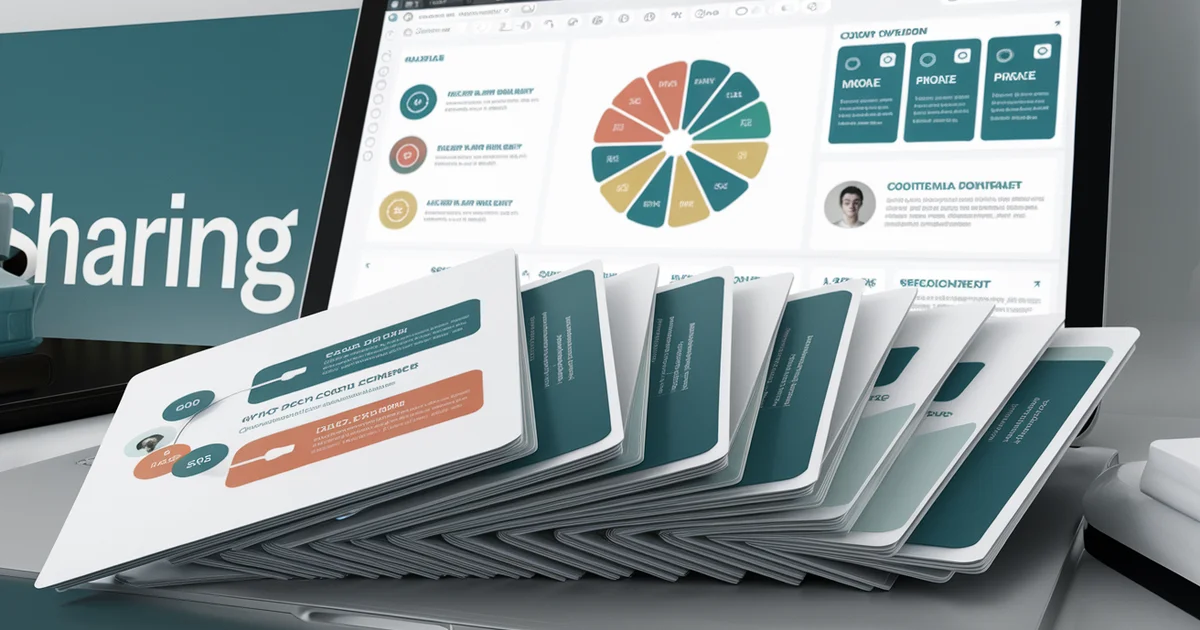
The opportunity is simple: take your best blog post, turn it into a slide deck, upload it to SlideShare and Speaker Deck, and include a link back to your website. You now have a DA 95 backlink, a DA 80+ backlink, and two new discovery channels — all from content you have already written.
This is not theoretical. I repurposed 20 blog posts across our network into slide decks and uploaded them to both platforms. The result: permanent high-authority backlinks, new referral traffic from Google searches surfacing our decks, and embeddable slide presentations that increased time-on-page when embedded in our original blog posts.
Here is the complete workflow, from content selection to upload optimization.
Why SlideShare and Speaker Deck Matter for SEO
The Backlink Value
Domain Authority is a logarithmic scale. A DA 95 backlink from SlideShare passes dramatically more link equity than a DA 40 backlink from a guest post on a mid-tier blog. For small businesses competing against larger competitors with bigger link profiles, a handful of DA 90+ backlinks can shift your competitive position meaningfully.
SlideShare allows two types of links:
- Profile links — Your SlideShare profile includes a website URL field. This is a permanent backlink visible on your public profile page.
- Deck description links — Each uploaded deck has a description field where you can include links to your website, specific blog posts, or product pages.
Speaker Deck similarly allows profile links and per-deck descriptions with URLs.
The Google Indexing Value
SlideShare decks are indexed by Google and can rank for queries independently. A slide deck titled "5 Free Marketing Tools for Small Business" can rank on page 1 for that query — on SlideShare's DA 95 domain — and drive traffic both to the deck (where your website link lives) and to your Google Knowledge Graph association with the topic.
Speaker Deck content is also indexed, though with less frequency due to lower domain authority. The combined SEO footprint of having your content on both platforms creates multiple ranking opportunities for the same topic.
The Embed Value
Both platforms provide embed codes for every deck. You can embed your slide deck directly into your blog post, creating an interactive element that increases time-on-page and engagement — both of which are positive signals for Google's ranking algorithm.
A blog post with an embedded slide deck gives readers two consumption options: read the article or scroll through the slides. This accommodates different reading preferences and keeps visitors engaged longer.
The Canva-to-SlideShare Workflow
You do not need PowerPoint or Keynote. Canva's free tier includes presentation templates that work perfectly for SlideShare and Speaker Deck uploads.
Step 1: Select Content to Repurpose
Choose blog posts that have clear, structured arguments — posts with numbered steps, comparison tables, or listicle formats translate best to slides. Posts that are narrative or essay-style are harder to convert.
Good candidates from a typical small business blog:
- "5 Marketing Channels That Cost Nothing"
- "SEO Checklist for Small Business Websites"
- "How to Set Up Google Business Profile in 2026"
- "Email Marketing: First 30 Days Playbook"
Each of these has a clear structure that maps naturally to one concept per slide.
Step 2: Create the Deck in Canva
Open Canva and select "Presentation" as your format. Choose a template that matches your brand colors and style. Then build the deck following this structure:
Slide 1: Title slide. Your post title, your name/business name, your website URL.
Slides 2-3: The problem or context. Why this topic matters. Use large text and minimal words — slides are not blog posts. One key stat or insight per slide.
Slides 4-15: The core content. One point per slide. Use the key takeaways from your blog post, not the full text. A blog post section with three paragraphs becomes one slide with a headline and three bullet points.
Slide 16: Summary. Key takeaways in 3-5 bullet points.
Slide 17: CTA slide. "Read the full article at [your website URL]" or "Get the complete guide at [your website URL]." This slide drives traffic from the deck to your site.
Total slides: 15-20 per deck. Total creation time: 30-45 minutes per deck if you have a template set up.
Step 3: Export and Upload
Export from Canva as PDF. Both SlideShare and Speaker Deck accept PDF uploads.
SlideShare upload:
- Go to slideshare.net and create an account (free)
- Click "Upload" and select your PDF
- Add a title — use your blog post title with keywords
- Write a description — 2-3 sentences explaining what the deck covers, plus a link to the full blog post
- Add tags — 5-10 relevant keywords
- Set visibility to public
- Choose a category that matches your content
Speaker Deck upload:
- Go to speakerdeck.com and create an account (free)
- Click "Upload" and select your PDF
- Add title, description (with link), and category
- Publish
Total upload time: 10 minutes per platform, per deck.
Optimization for Maximum SEO Value
Title Optimization
Your deck title is the most important SEO element. It appears in Google search results, SlideShare search results, and as the anchor text for internal links within the platform.
Use titles that match search queries:
- Instead of "Our Marketing Approach" use "Free Marketing Tools for Small Business 2026"
- Instead of "Company Presentation" use "SEO Checklist: 15 Steps for Small Business Websites"
- Instead of "Monthly Report" use "Small Business Email Marketing: First 30 Days Playbook"
Description Optimization
The description field on both platforms is indexable by Google. Write a genuine 100-200 word description that includes your target keywords naturally, summarizes the deck's content, and includes your website URL with a call-to-action.
Tags and Categories
SlideShare's tag system functions like keywords. Use 10 tags per deck, mixing broad terms ("small business marketing") with specific terms ("zero-budget SEO strategy"). Browse existing popular decks in your category to see which tags they use.
Profile Optimization
Your SlideShare and Speaker Deck profiles are persistent pages with their own SEO value. Complete every profile field:
- Business name and description
- Website URL (this is your permanent DA 95 backlink)
- Location
- Professional headline
A complete profile with multiple uploaded decks signals an active, authoritative presence on the platform. Google indexes profile pages and includes them in knowledge panel and entity association evaluations.
Embedding Slides in Your Blog
After uploading, grab the embed code from SlideShare or Speaker Deck and add it to your original blog post. The embed creates an interactive slideshow within your article.
Placement matters. Embed the slides near the top of the post, after the introduction but before the main content. This gives readers an immediate option to consume the content in slide format. Readers who prefer slides will engage with the embedded deck. Readers who prefer text will scroll past it and read the article. Both engagement patterns increase time-on-page.
The embed also creates a visual break in text-heavy posts, improving the reading experience and reducing bounce rates.
Measuring Results
Track three metrics:
- SlideShare/Speaker Deck views — Both platforms provide view counts per deck. This shows how much discovery you are getting through platform-native search and Google.
- Referral traffic — Use UTM parameters on all links in your deck descriptions and CTA slides. Track SlideShare and Speaker Deck as referral sources in your analytics.
- Backlink impact — Use a tool like Ahrefs, Moz, or Ubersuggest to verify that your SlideShare and Speaker Deck backlinks are indexed and passing authority.
For our network, slide decks on SlideShare typically accumulate 200-500 views within the first month, with steady long-tail traffic as Google indexes them and surfaces them for relevant queries. The referral traffic is modest but high-quality — people who click through from a slide deck to your website have already consumed your expertise in slide format and are seeking deeper engagement.
The Compounding Strategy
Upload one deck per week for 12 weeks. At the end of three months, you have 12 DA 95 backlinks from SlideShare and 12 DA 80+ backlinks from Speaker Deck. You have 12 new Google-indexed pages of your content on high-authority domains. You have 12 embeddable slide presentations improving engagement on your blog posts.
The investment is 12 hours total — one hour per deck. The SEO value of 24 high-DA backlinks would cost thousands of dollars through any traditional link-building service. The content creation cost is zero because you are repurposing content you already wrote.
SlideShare and Speaker Deck are two of 80+ marketing channels covered in The $20 Dollar Agency — the complete guide to replacing expensive marketing agencies with your own expertise and a $20/month AI subscription. Buy The $20 Dollar Agency on Amazon.
