Blog
Flipboard Magazines: Free Google-Indexed Backlinks From 85 Million Readers
July 9, 2026 · 8 min read
Flipboard has 85 million monthly active readers and most small business owners have never touched it. That is a mistake, because every magazine you create on Flipboard gets its own URL that Google indexes. Every article you flip into that magazine creates an additional indexed page with a link pointing back to your site.
Free backlinks. Free distribution. Free discovery by an audience that is specifically browsing for content in your niche. Here is how to set it up.
What Flipboard Magazines Actually Are
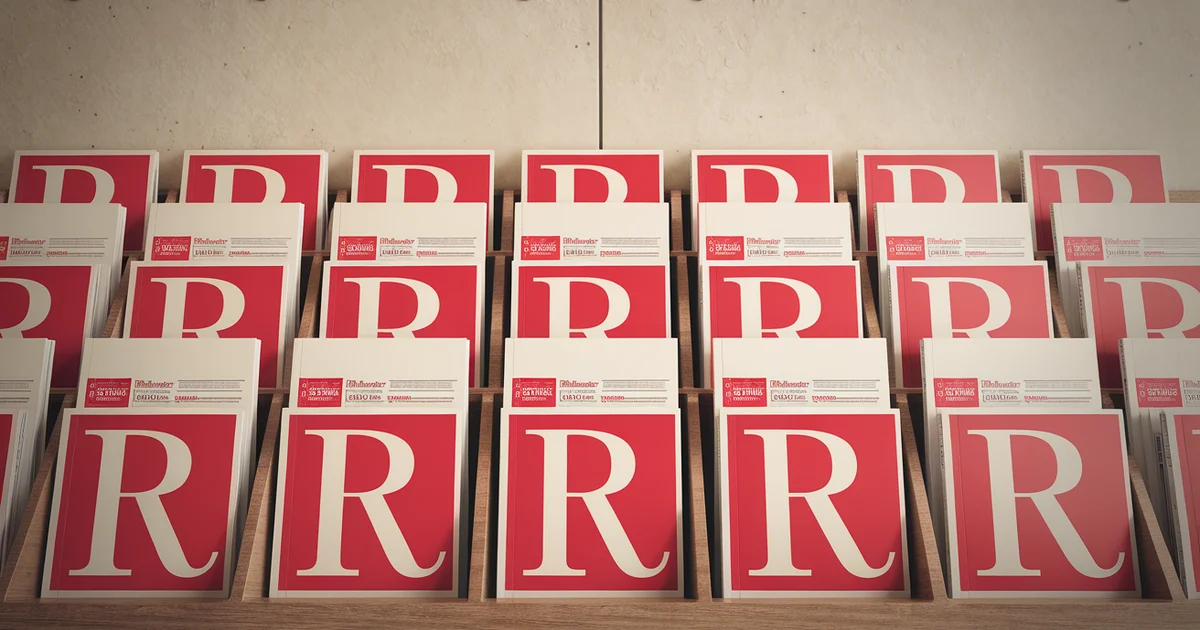
Flipboard lets any user create "magazines" — curated collections of articles organized by topic. Think of them as public bookmarks that other people can follow and browse.
When you create a magazine called "Small Business Marketing Tips" and flip articles into it, Flipboard generates a public page for that magazine. Google crawls and indexes that page. Your magazine shows up in search results. Each article inside the magazine links back to its original source.
If you are flipping your own content, that is a backlink from a Domain Authority 91 website pointing directly to your article. For free. As many times as you publish.
Why This Works for Small Businesses
Three reasons Flipboard deserves a spot in your marketing stack:
Google indexes Flipboard magazine pages. Each magazine gets a unique URL. Each flipped article creates an entry on that page. Google sees these as legitimate content curation pages and indexes them. That means your article title, description, and link appear in Google's index via Flipboard's high-authority domain.
85 million monthly readers browse by topic. Flipboard's discovery algorithm surfaces content based on topic relevance, not follower count. A brand-new magazine with zero followers can have its articles surfaced to readers browsing the "Marketing" or "Small Business" topics. You do not need to build an audience first.
The time investment is negligible. With the Flipboard browser extension installed, adding an article to a magazine takes two seconds. You are already publishing content to your site. Flipping it to Flipboard is one extra click per article.
Setting Up Your First Magazine
Step 1: Create Your Flipboard Account
Go to flipboard.com and sign up. Use your business name or your name — whichever matches your brand. Complete your profile with a bio that includes your website URL. That bio link is another indexed backlink.
Step 2: Create Topic-Specific Magazines
Do not create one giant magazine for everything. Create focused magazines by topic:
- "Local SEO Tips for Small Business"
- "Email Marketing Automation"
- "Free Marketing Tools 2026"
- "Google Business Profile Optimization"
Each magazine should map to a content category on your site. If you write about five topics, create five magazines. Focused magazines attract more followers because readers can subscribe to exactly what interests them.
Step 3: Install the Browser Extension
Install the Flipboard browser extension for Chrome, Firefox, or Edge. Once installed, a small Flipboard icon appears in your toolbar. When you publish a new blog post, click the icon, select which magazine to flip it into, and you are done. Two seconds.
Step 4: Flip Your Content
Every time you publish a new article, flip it into the relevant magazine. Go back through your existing content library and flip your best-performing articles too. There is no limit to how many articles a magazine can hold.
The 70/30 Curation Rule
Here is where most people go wrong: they only flip their own content. A magazine full of nothing but self-promotional articles looks like spam to both Flipboard's algorithm and human readers.
The better approach is the 70/30 rule:
- 70% third-party content — Articles from respected sources in your niche. Industry publications, established blogs, news outlets. This makes your magazine genuinely useful to followers.
- 30% your content — Your blog posts, guides, and resources mixed in naturally alongside the curated content.
This ratio does three things. It makes your magazine worth following. It signals to Flipboard's algorithm that you are a legitimate curator, not a spammer. And it positions your content alongside authoritative sources, which builds trust with readers who discover you through the magazine.
Maximizing Google Indexing
Each magazine page has its own URL structure: flipboard.com/@yourusername/your-magazine-name. Google indexes these pages, but you can help the process.
Use keyword-rich magazine names. "Small Business SEO Guide" is better than "My Marketing Stuff." The magazine name becomes part of the URL and the page title — both of which Google uses for ranking.
Write magazine descriptions with keywords. Flipboard lets you add a description to each magazine. Include your target keywords naturally. This text appears on the indexed page.
Flip consistently. Magazines that are updated regularly get crawled more frequently. Aim to add at least 2-3 articles per week to each active magazine.
Create enough magazines to cover your topics. Five to ten magazines is the sweet spot for most small businesses. Each one is a separate indexed page with a separate set of backlinks to your content.
Measuring the Impact
Track your Flipboard traffic in Google Analytics 4. Look for referral traffic from flipboard.com. You will also see the backlink impact in Google Search Console — Flipboard links show up in your backlink profile within a few weeks of flipping.
The metrics that matter:
- Magazine followers — How many people subscribed to each magazine
- Flips — How many times your articles were re-flipped by other users
- Referral traffic — Visits to your site from Flipboard
- Indexed pages — Check Google for
site:flipboard.com @yourusernameto see how many of your magazine pages are indexed
Time Investment vs. Return
Setting up your profile, creating five magazines, and flipping your existing content library takes about 30 minutes. After that initial setup, the ongoing time investment is roughly 10 seconds per article you publish — click the extension, pick the magazine, done.
For those 10 seconds, you get a backlink from a DA 91 domain, exposure to a fraction of 85 million monthly readers, and an additional indexed page in Google. There is no marketing channel with a better time-to-value ratio.
Fitting Flipboard Into Your Marketing Stack
Flipboard works best as a distribution layer on top of your existing content strategy. You are already writing blog posts (Chapter 9 of The $20 Dollar Agency covers content clusters). You are already doing SEO (Chapters 3-5 cover technical setup). Flipboard adds a free amplification channel that takes almost zero additional effort.
Add it to your publishing checklist: write the article, publish it to your site, submit to Google via IndexNow, then flip it to Flipboard. Four steps, and the last one takes two seconds.
The complete content distribution workflow — including Flipboard, social scheduling, email integration, and directory syndication — is covered in Chapter 16 of The $20 Dollar Agency. The book walks through building the entire marketing stack for $20/month, and Flipboard is one of the free channels that makes that budget work.
